> ## Documentation Index
> Fetch the complete documentation index at: https://docs.binarly.io/llms.txt
> Use this file to discover all available pages before exploring further.
# Get Started
> Welcome to the Binarly Transparency Platform API
The Binarly Transparency Platform API allows you to automate firmware security analysis, integrate vulnerability scanning into your CI/CD pipelines, and retrieve detailed security insights programmatically.
## Choose Your Path
Select the authentication method that matches your use case to get started quickly.
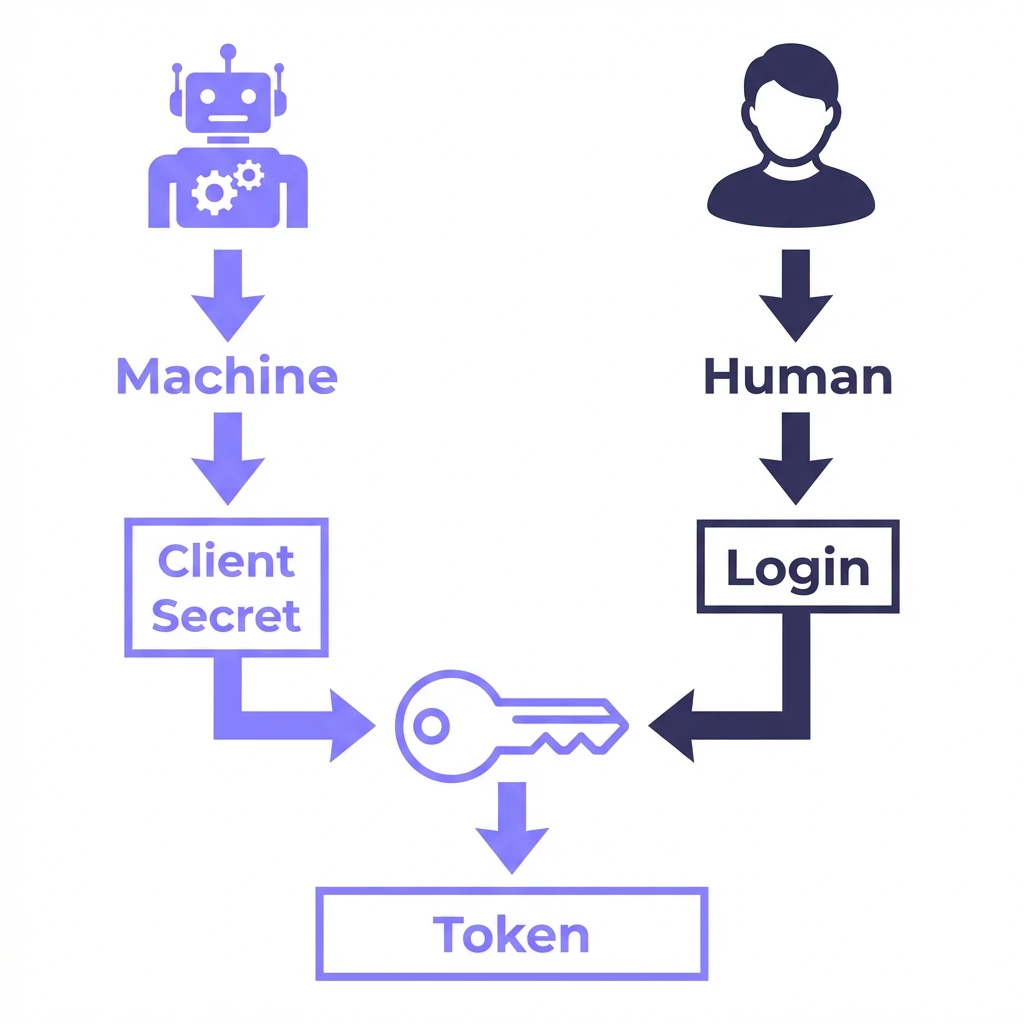 I need to integrate Binarly into a build pipeline (Jenkins, GitLab, GitHub Actions).
**Go here to set up machine-to-machine authentication.**
I need to run ad-hoc queries, test endpoints, or build a custom script.
**Go here to generate a personal access token.**
## Interactive Documentation
Explore our full API reference and test endpoints directly in the browser using our Swagger UI.
**Swagger UI URL**:
`https:///api/v4/swagger/`
> **Note**: Replace `` in the URL above with your specific dashboard domain (e.g., `dashboard-myorg.binarly.cloud`) to access the interactive documentation for your instance.
## New to Binarly?
If you're just getting started, check out the [First Scan Guide](/user-guides/get-started/first-scan) for a walkthrough of the dashboard interface.
I need to integrate Binarly into a build pipeline (Jenkins, GitLab, GitHub Actions).
**Go here to set up machine-to-machine authentication.**
I need to run ad-hoc queries, test endpoints, or build a custom script.
**Go here to generate a personal access token.**
## Interactive Documentation
Explore our full API reference and test endpoints directly in the browser using our Swagger UI.
**Swagger UI URL**:
`https:///api/v4/swagger/`
> **Note**: Replace `` in the URL above with your specific dashboard domain (e.g., `dashboard-myorg.binarly.cloud`) to access the interactive documentation for your instance.
## New to Binarly?
If you're just getting started, check out the [First Scan Guide](/user-guides/get-started/first-scan) for a walkthrough of the dashboard interface.