> ## Documentation Index
> Fetch the complete documentation index at: https://docs.binarly.io/llms.txt
> Use this file to discover all available pages before exploring further.
# Deployments
> Deploy Rulesets to run automatically on image scans at the organization or product level.
A Deployment connects a Ruleset to a scan scope. Once deployed, the Ruleset runs automatically on every new scan within that scope, and any matches appear as findings in the platform.
Deployments operate at two levels:
* **Organization** — the Ruleset runs on all image scans across the entire organization.
* **Product** — the Ruleset runs only on scans for a specific product.
Only **Organization Admins**, **Product Admins**, and **Rule Admins** can create or manage deployments.
## Creating a deployment
Navigate to **Rules → Rulesets** and select the Ruleset you want to deploy.
Click the **Deployments** tab on the Ruleset detail page. Existing deployments for this Ruleset are listed here.
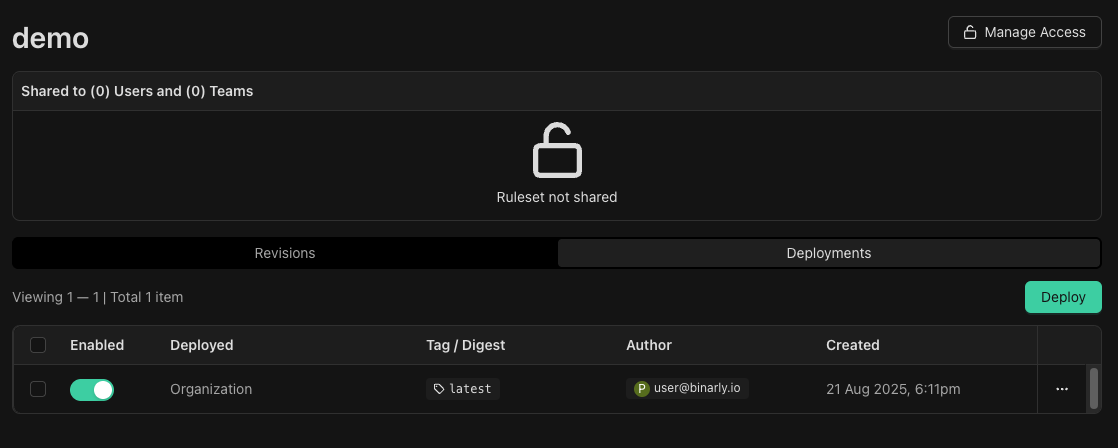 Click **Deploy** and select the scope — organization-wide or a specific product. Confirm to activate the deployment.
## Findings from deployed Rulesets
When a deployed Ruleset matches during a scan, a finding is generated and appears in the **Findings** tab of the affected image. Each finding includes a **Detected with a custom rule** section that shows:
* The name of the Ruleset that produced the finding
* The specific rule within the Ruleset that matched
* The rule revision at the time of the match
Click **Deploy** and select the scope — organization-wide or a specific product. Confirm to activate the deployment.
## Findings from deployed Rulesets
When a deployed Ruleset matches during a scan, a finding is generated and appears in the **Findings** tab of the affected image. Each finding includes a **Detected with a custom rule** section that shows:
* The name of the Ruleset that produced the finding
* The specific rule within the Ruleset that matched
* The rule revision at the time of the match
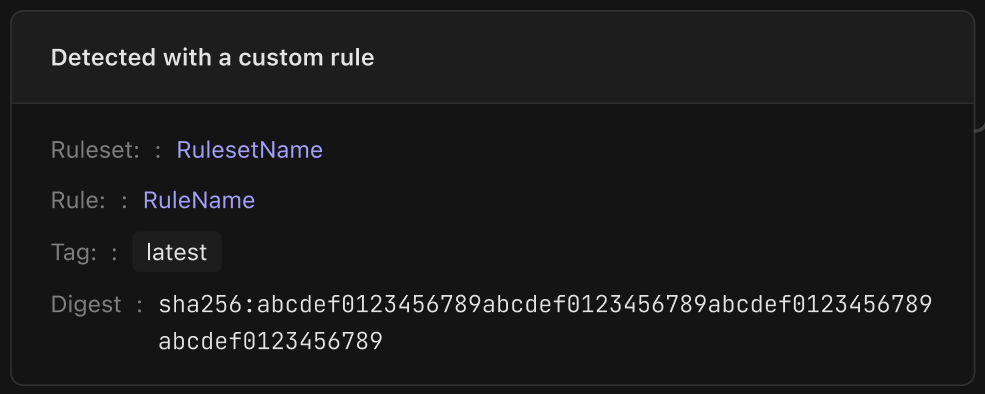 Findings are linked to the rule revision that generated them. If the Ruleset is updated later, existing findings continue to reference the version of the rule that was active when the scan ran.
## Disabling a deployment
To stop a Ruleset from running on future scans, select the deployment from the Deployments tab and disable or delete it. Existing findings from previous scans are not removed.
Findings are linked to the rule revision that generated them. If the Ruleset is updated later, existing findings continue to reference the version of the rule that was active when the scan ran.
## Disabling a deployment
To stop a Ruleset from running on future scans, select the deployment from the Deployments tab and disable or delete it. Existing findings from previous scans are not removed.