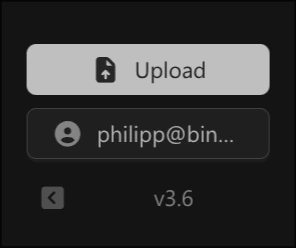
When contacting support, you can provide your deployment’s release information to help diagnose issues faster.

Download Release Information

Click on the version number (e.g., v3.6) in the bottom-left corner of the dashboard to download your release-info.yaml file. Click version number to download release-info.yaml Send this file to support@binarly.io or share it via Slack when reporting issues.

Example Release Information

The downloaded file contains your deployment’s version and configuration details:
chart:
  version: 1.x.x
  dependencies:
    - name: server
      version: 4.x.x
    - name: dashboard
      version: 3.x.x
global:
  version: 3.6
  images:
    dashboard:
      image:
        tag: ""
    server:
      image:
        tag: ""
    normalise:
      image:
        tag: 2.x.x
    # ... additional scan tools
  scanToolsConfiguration:
    cryptoscan:
      enabled: true
    cvehunt:
      enabled: true
    fwhunt:
      enabled: true
    # ... additional tool configurations
  features:
    copilot: true
    reports:
      cbom: true
      pqcCompliance: true
      vex: true
    # ... additional features

Contact Support

  • Email: support@binarly.io
  • Slack: Your organization’s Binarly support channel
  • Include: Organization name, deployment type (SaaS/On-Prem), and release-info.yaml