

Applying Debug Information
Debugging symbols are metadata embedded in or associated with compiled binaries that include some of the information that is discarded during compilation, including original function names. BTP supports loading embedded DWARF for Linux-based images as well as separate PDB symbol files for UEFI binaries. The latter need to be uploaded to the image using the symbol upload button on the image dashboard shown below.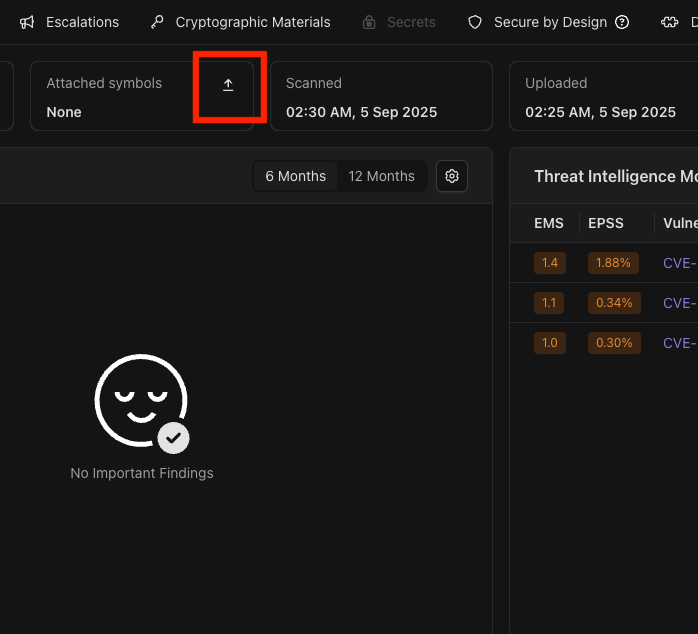
PDB upload button on the overview tab.
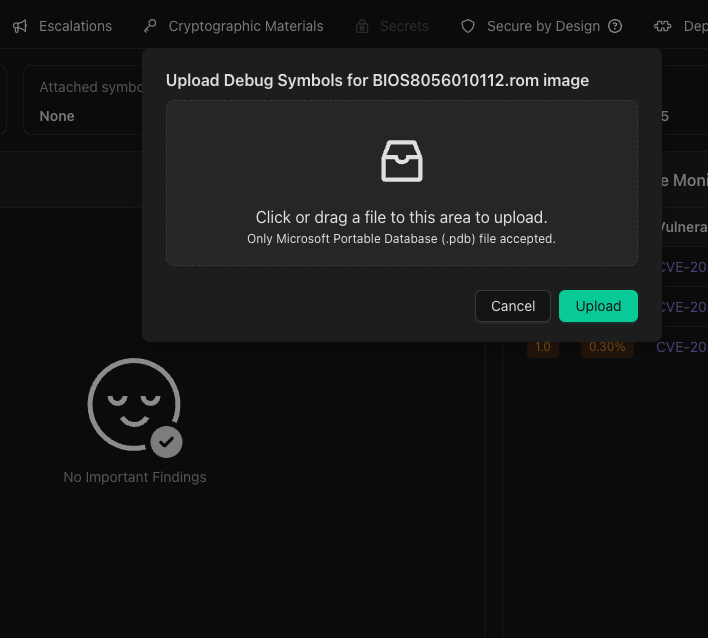
Select a PDB file and press Upload.
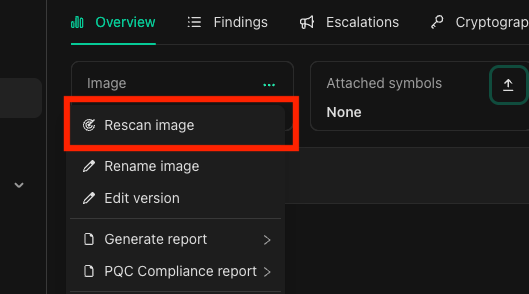
The rescan button is in the context menu on the image dashboard.
Use Debug Information
Once the scan is finished, findings that include decompiled code snippets in their evidence will show the original function names if it’s included in the uploaded PDB file like in the example below.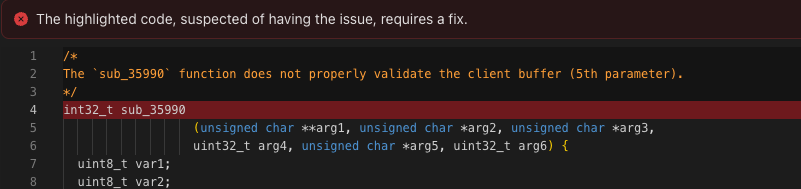
Evidence with auto generated function name.
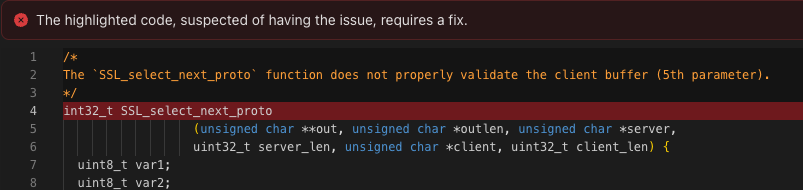
Evidence with original function name.
Programmatic Access
Upload debug symbols programmatically using the Binarly API:- Upload Debug Symbols API - Endpoint reference and batch upload examples