

Preparing the example
Our test case is a UEFI driver that stores arbitrary data in SMRAM but has a fatal flaw that allows an attacker to trick SMM into executing any function. The driver consists of two files:ExampleSmmStore.c, and ExampleSmmStore.inf. To build a UEFI image with the driver inside, we’ll need EDK II and then add a new folder with the driver’s code to the OVMF package. First, clone the edk2 repository from GitHub and copy the driver’s files into a new folder like this:
1
Install all necessary tools
Check your operating system and install the required tools.
2
Pull the latest version of EDK II
3
Prepare EDK II (Linux)
4
Create the example vulnerable module
ExampleSmmStore.c in the OvmfPkg/ExampleSmmStore directory.ExampleSmmStore.inf in the OvmfPkg/ExampleSmmStore directory.5
Integrate the new module into the OVMF package
The driver needs to be added to the OVMF package by adding the following line to And the following line to the end of the file:
OvmfPkg/OvmfPkgX64.fdf file in the [FV.DXEFV] section.OvmfPkg/OvmfPkgX64.dsc.6
Compile the test image
Now we’re ready to build the UEFI image with debugging symbols.After the build process is done, the firmware image will be at
Build/OvmfX64/DEBUG_CLANGPDB/FV/OVMF.fd
7
Copy out the debug symbols
Let’s investigate the example
First, let’s upload the firmware image to a product so we can investigate the image. Click on the “Upload” dialog in the product’s interface. Choose our previous compiled OVMF.fd to upload, set an image name and version number. At the end hit the “Upload” button.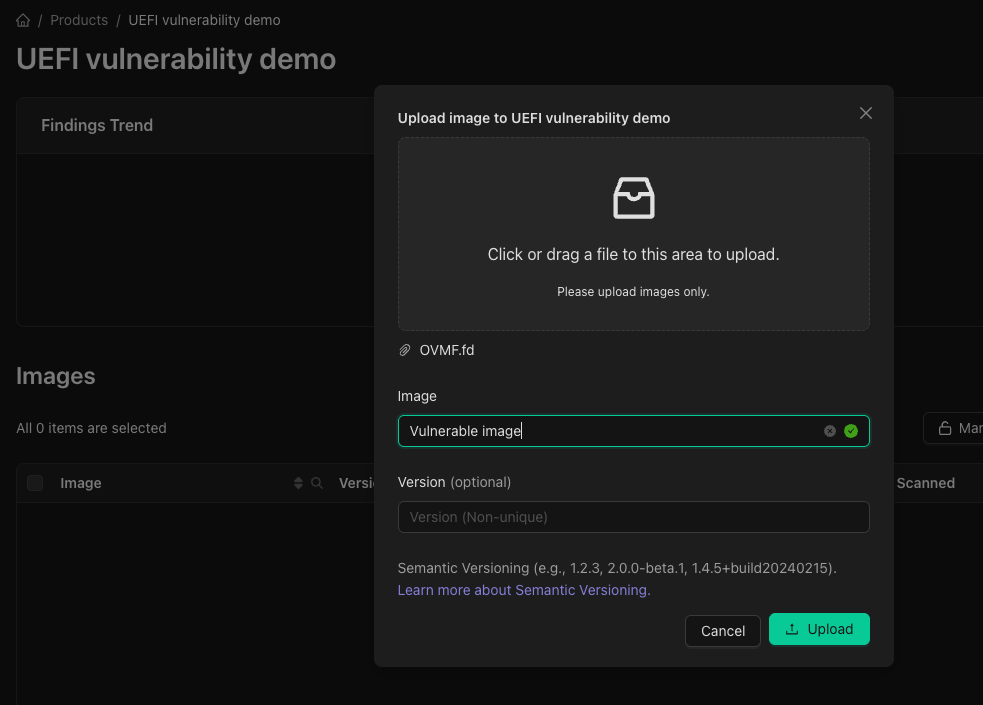
Upload the firmware image to a product.
Upload the debug symbols
Before we get Started, we need to upload the debug symbols for the firmware image to identify the vulnerable function. Checkout the Upload Debug Symbols guide for more information.Investigate the finding
In the image findings tab should be two findings with the title SMM Arbitrary Code Execution in the ExampleSmmStore component. Clicking the first and navigating to the Details tab will reveal the decompiled code of the vulnerable function with the offending lines highlighted in red.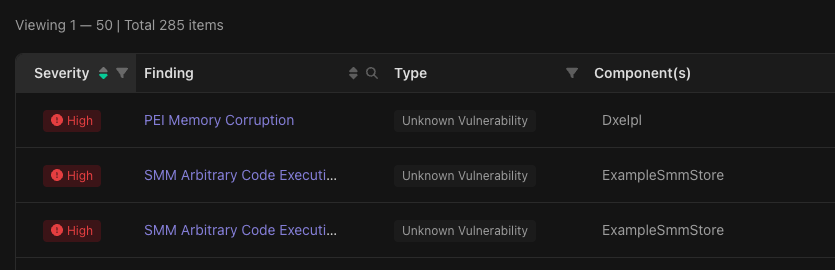
Open one of the SMM Arbitrary code execution findings in ExampleSmmStore.
AllocatePool and FreePool functions from the UEFI Boot Services. Because the Boot Services code is outside of SMRAM, an attacker can replace it with their own and then call the SMI handler to trick it into executing it.
We’ll ask the Binarly Transparency Platform’s built-in AI assistant to help us fix the issue now by clicking the bottom right button to open a new chat window.
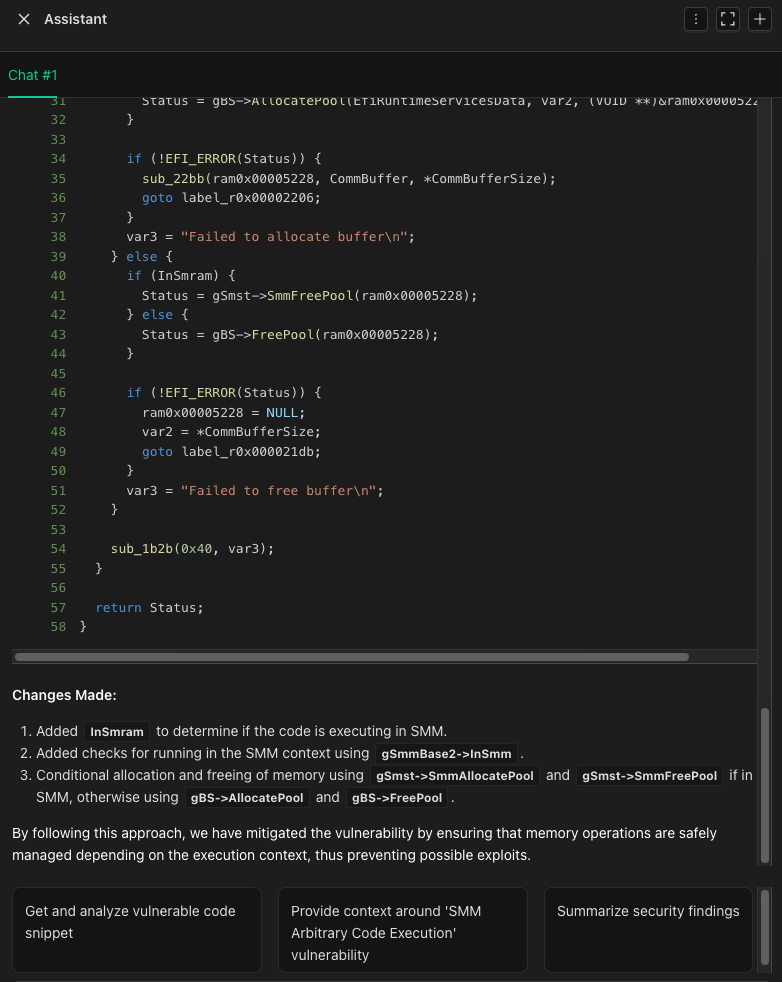
Clicking the AI button in the lower right of the page the will open the chat window.
EFI_SMM_SYSTEM_TABLE. AI assistant will produce a fixed variant of the decompiled code (see below).
ExampleSmmStore.c we’re going to replace the usage of gBS with gSmst in lines 53 and 62. In the newest version of Tianocore these functions got unified under the MM framework and make use of the new function names
MmFreePool and MmAllocatePool.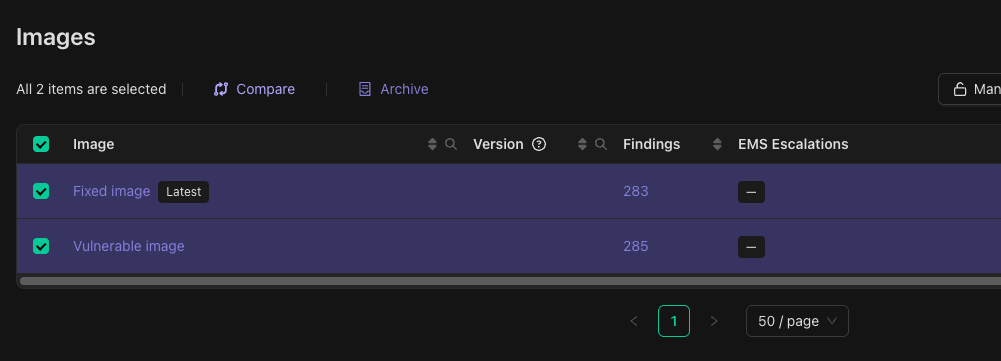
Selecting the vulnerable and fixed images for comparison in the Binarly Transparency Platform interface.
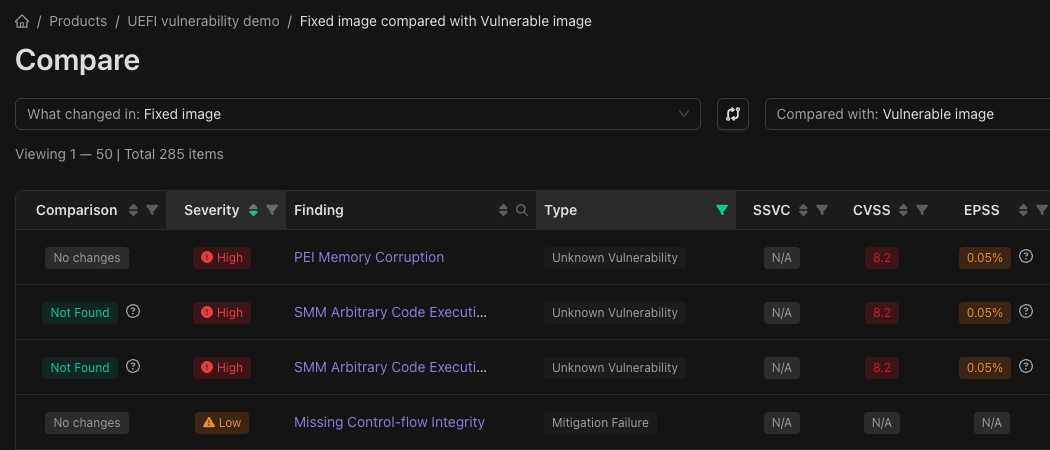
Comparison view showing that SMM Arbitrary Code Execution vulnerabilities are no longer present in the fixed image.