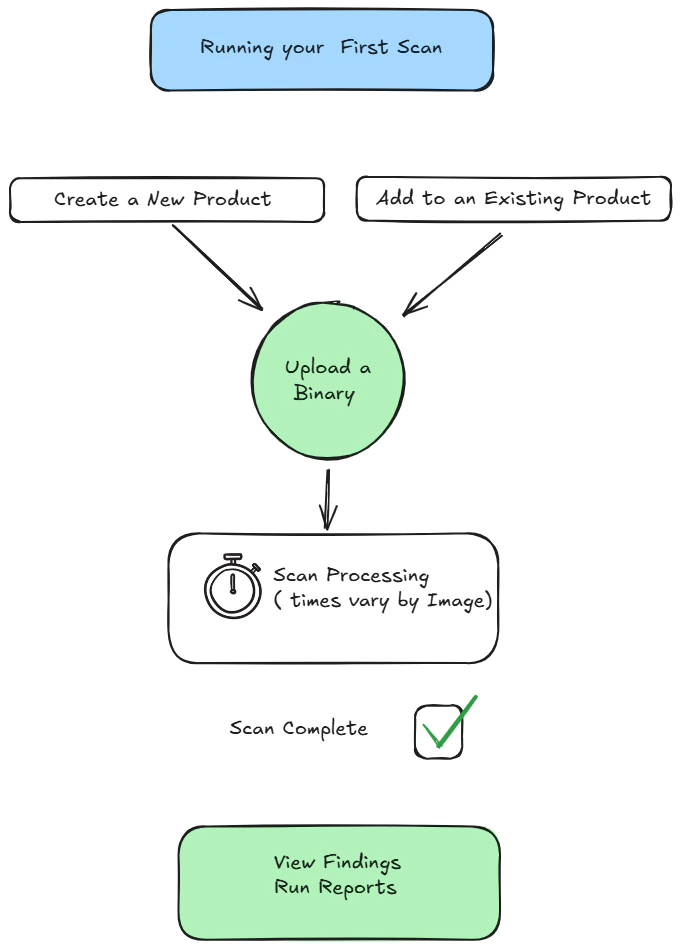
Running your first scan with the Binary Transparency Platform is simple and fast. You can upload a variety of binary file types directly into the platform for analysis—most scans complete within a few minutes.
Uploads are organized into products, which work like folders or containers for related image versions. Think of a product as a collection of scans for a particular firmware or binary over time. You’ll find more on that in the Products section.The diagram below shows the basic flow and the simple steps to run your first scan.
Find the Upload Button
From the dashboard, look in the bottom-left corner for the green upload arrow. Clicking it opens the upload dialog.
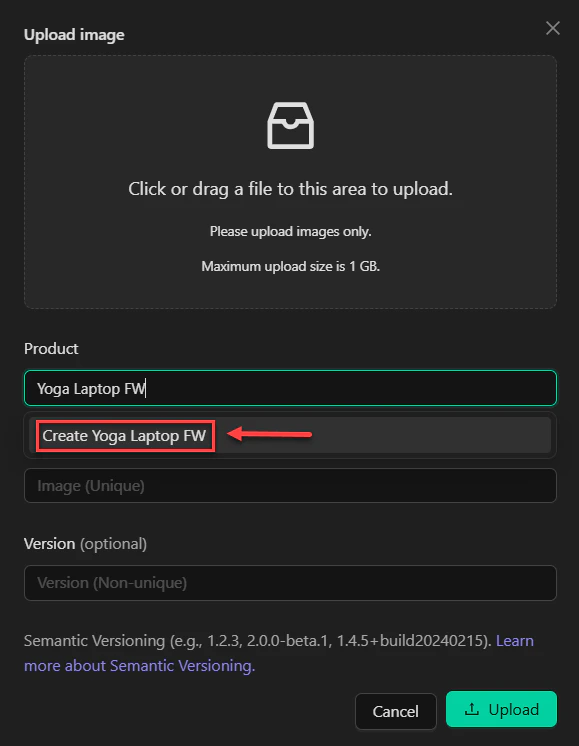
Create a Product
Give your product a clear, descriptive name. Then click Create to make the container for your image.
Add Your Binary
Drag and drop your binary file into the dialog—or browse to it manually. You’ll also have the option to label this as a new version, which helps track changes over time.
Upload
Once your file is selected and versioned (optional), click Upload.
Upload speed depends on file size. Don’t close your browser during the upload process.
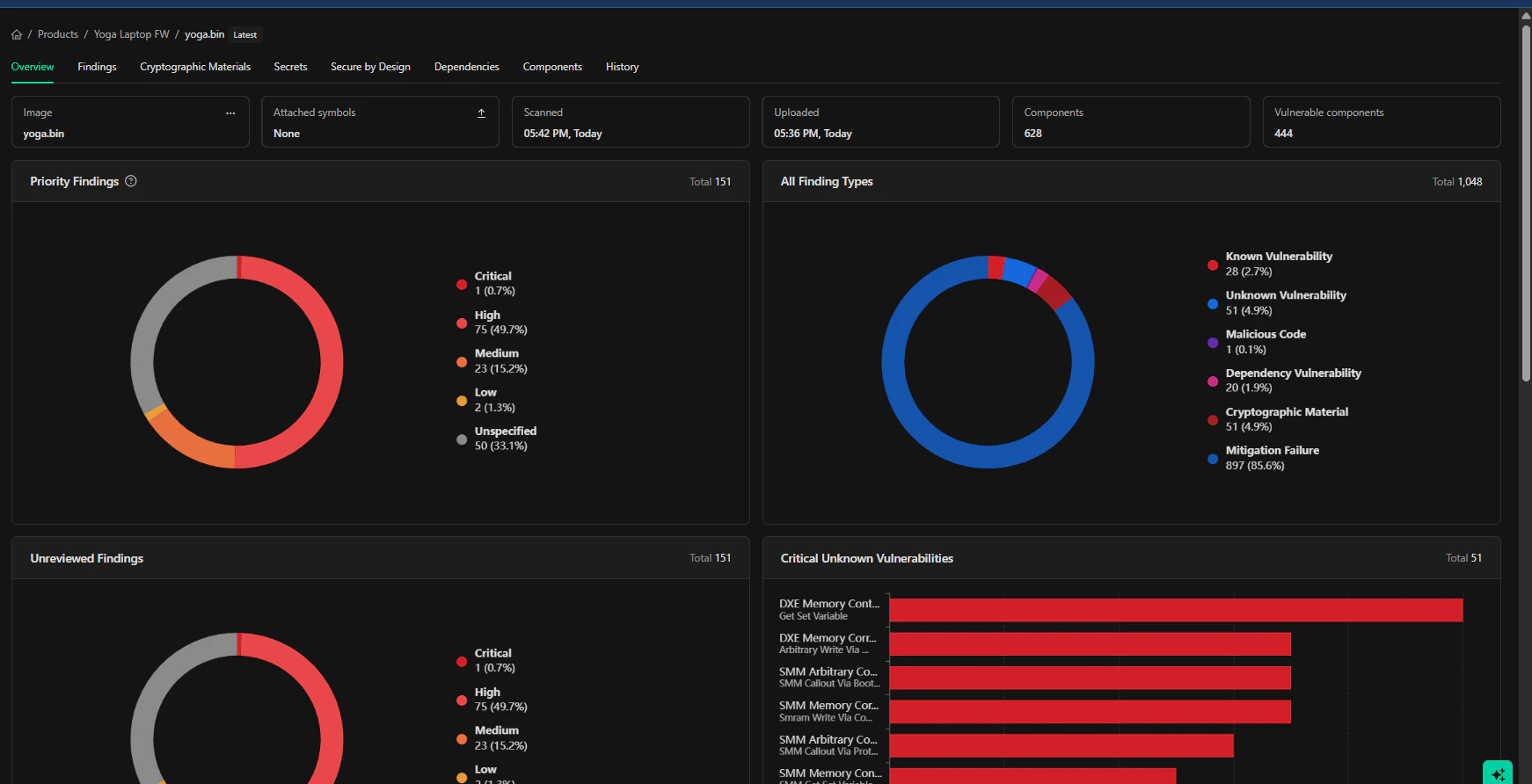
After uploading, the scan will enter a processing or in progress state. For small files, this usually takes 2–3 minutes. Larger files—like containers, embedded OS images, or full kernel binaries—might take 30 minutes or more.You can track progress from the Scans menu.