Subscriptions
Users receive alerts specifically for escalations in vulnerabilities for the Products they’re subscribed to. When a vulnerability associated with a product escalates in severity or new critical information becomes available, the users will be notified, enabling them to focus the attention where it’s needed most.How to subscribe to a Product
-
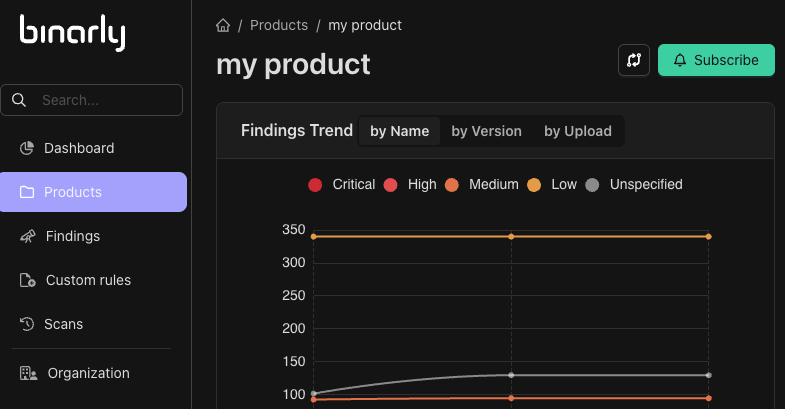
Locate the product you want to subscribe to:
- You can do it by browsing the list of products on the Products page.
- Click “Subscribe” button.
Types of Notifications
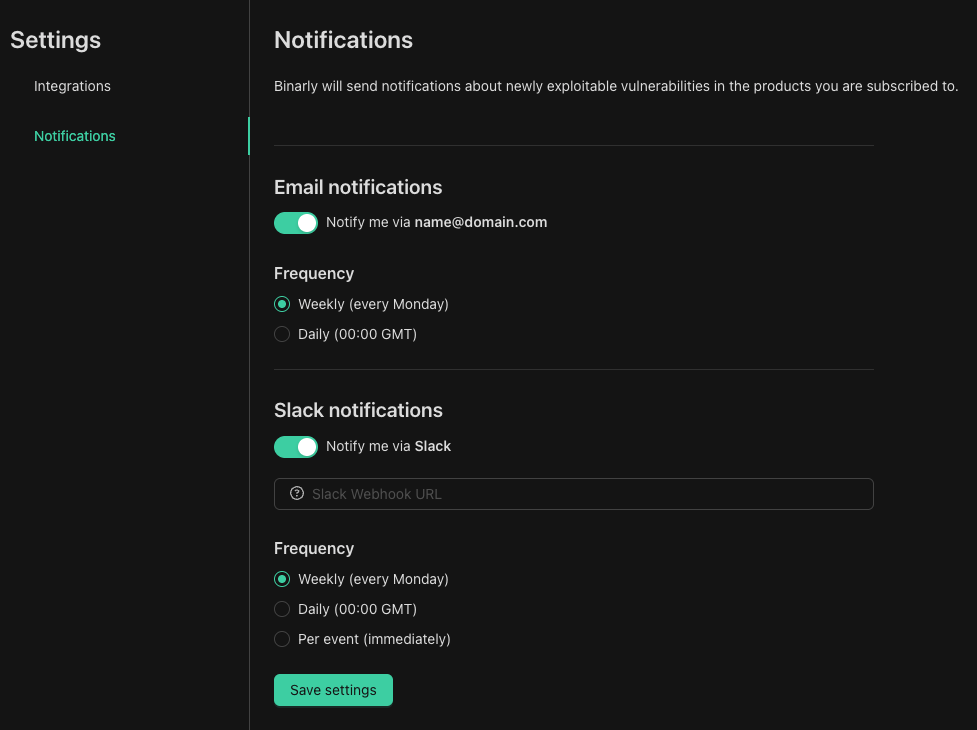
The following channels are available:- Email Notifications: Receive alerts directly in your inbox. You can choose to receive these alerts on a daily or weekly basis, providing a summary of relevant vulnerability Escalations. Emails will be sent to the address configured in the user account.
- Slack Notifications: Slack notifications support per-event (immediate) alerts, meaning you are notified as soon as an escalation occurs for a product you are subscribed to. We utilize Slack incoming webhook URLs to deliver these notifications directly to your designated channels.
Configure Notification Settings
-
Access Notification Settings
- You can do it by navigating to “Settings” page behind the user icon.
- Click “Save Settings” button.