

Overview
By default, finding attributes — severity, CVSS scores, references, and classifications, etc. — are compiled by Binarly from several sources. For known vulnerabilities, additional data from external advisory sources is also available as Variants. For a full list of supported sources, see Vulnerability Data Sources. Finding Variants lets you configure a prioritized list of alternative sources per product. When a finding has a variant from one of those sources, this variant gets applied, which means that its attributes override the corresponding attributes of the finding. This affects the findings grid, sorting, filtering, dashboard charts, and exports. A common use case is applying ecosystem-reported severities that differ from the original finding severity. For example, the OpenSSL project rates CVE-2024-5535 as Low, while the NVD severity might be Critical. Configuringopenssl as a source will surface the ecosystem’s own assessment for all affected findings in the product.
How It Works
When a source list is configured for a product:- Each finding is checked for a variant from the first matching source in the priority list.
- If a matching variant exists, its available attributes override the corresponding finding attributes. Attributes not present in the variant remain unchanged.
- If the source list is changed or a source is removed, affected findings are recalculated automatically — either falling back to a lower-priority source or reverting to the original finding attributes.
Configuring Finding Variants
Finding Variants is configured from the Products page.- Navigate to the three-dot menu in the Actions column on the chosen Product’s row
- Click Finding Variants
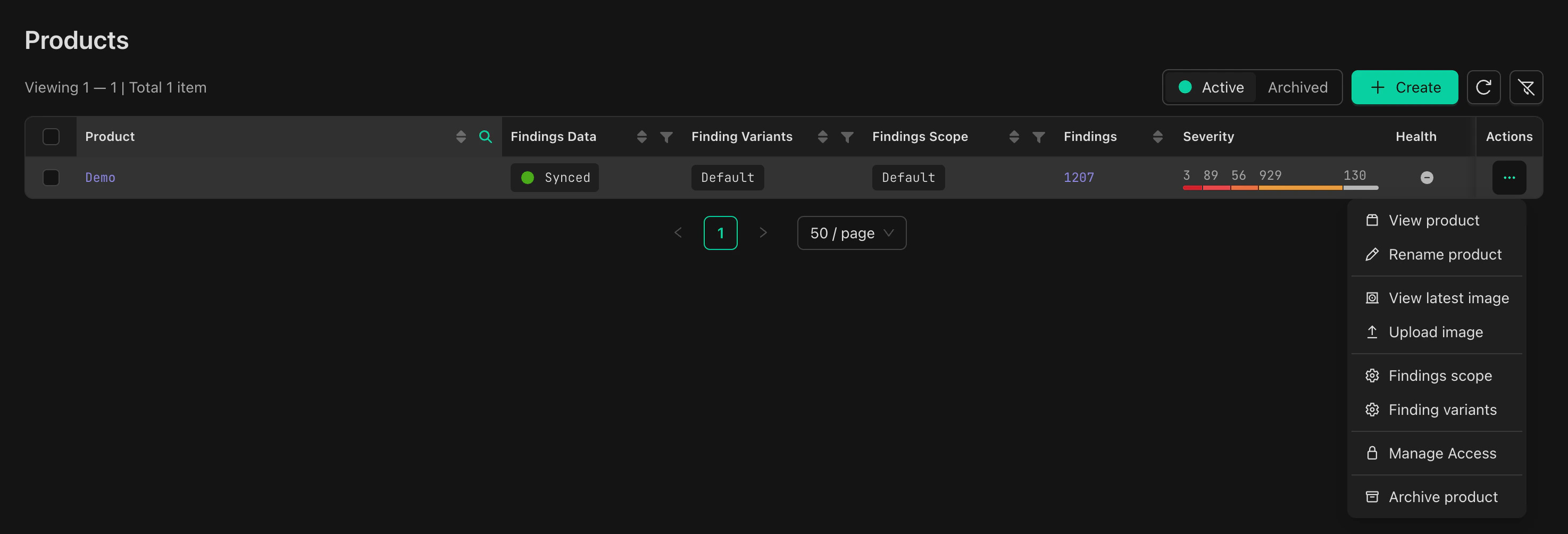
Adding and Ordering Sources
- In the Finding Variants drawer, add sources from the predefined list
- Drag sources to set their priority order — sources higher in the list take precedence
- Click Apply
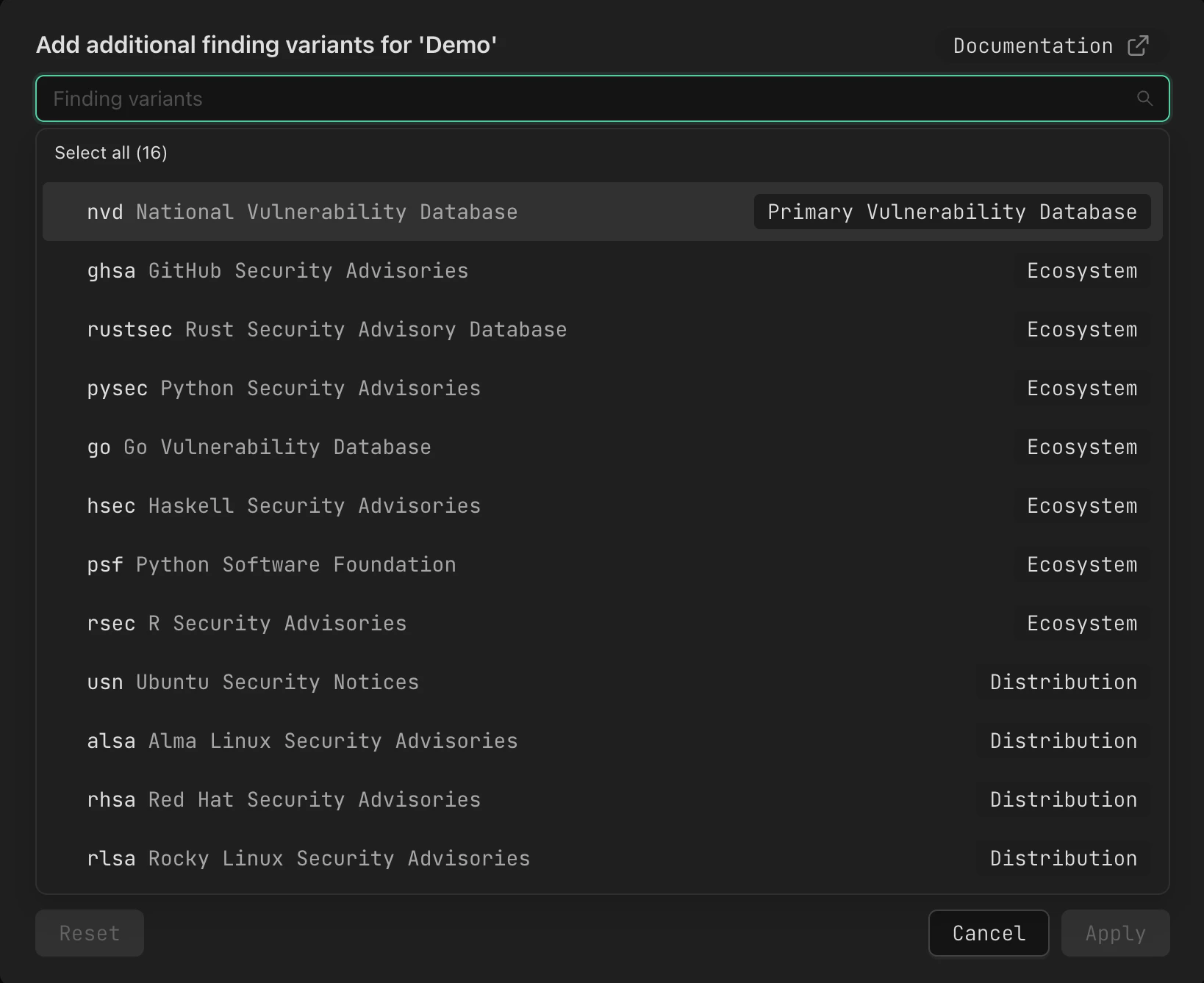
Note: At most one variant is applied per finding — from the first source in the priority list for which a matching variant exists. If no configured source matches any of a finding’s available variants, the original finding attributes are used.
Sync Status
After applying changes, all findings in the product are recalculated asynchronously. The product’s row in the Products grid will show a sync indicator:- Updating… - Variant application policy is being applied.

- Synced - Variants are fully applied.

Viewing Variants on Finding Details
The Variants tab on the Finding Details page shows all available variants for a finding, including their individual fields and source attribution.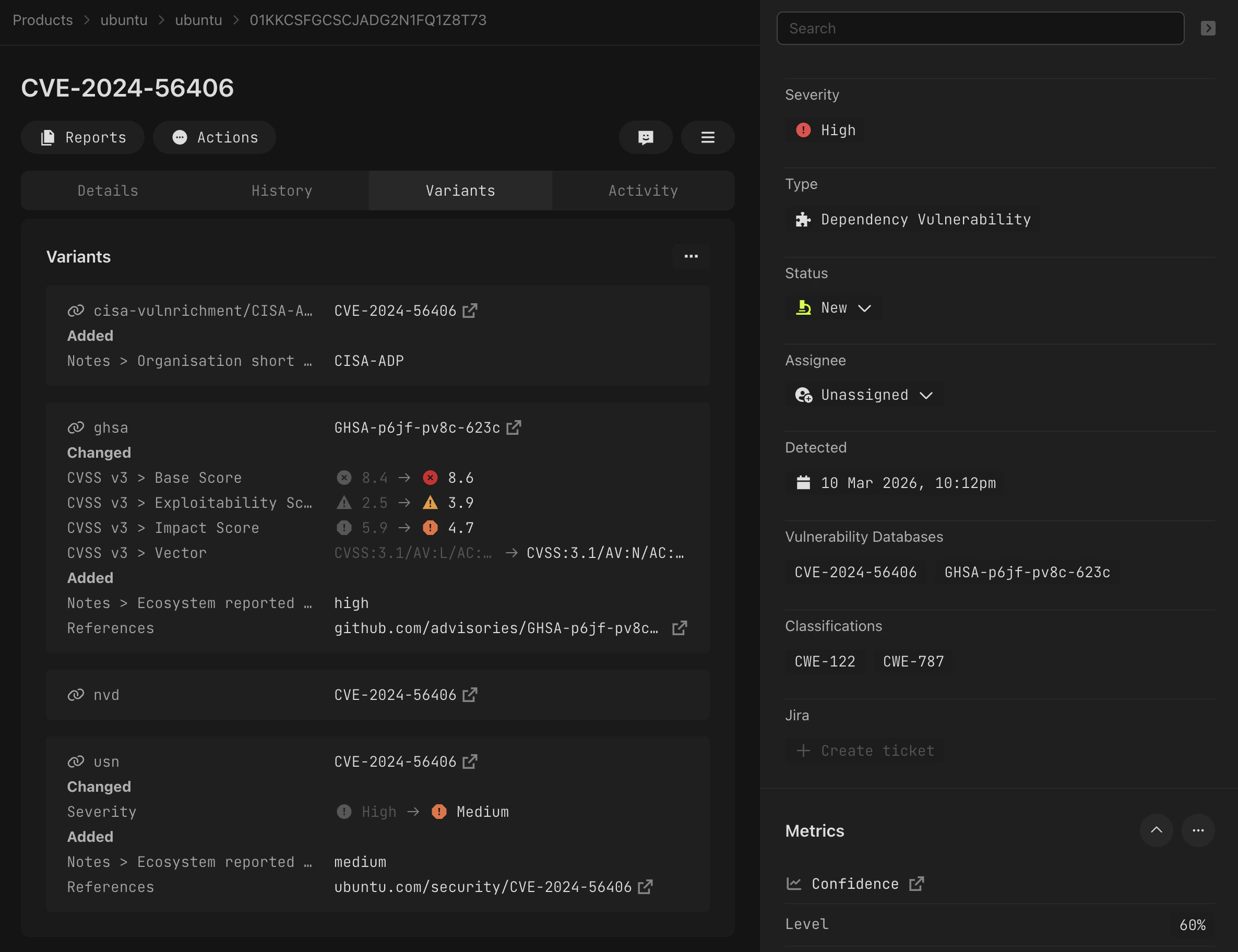
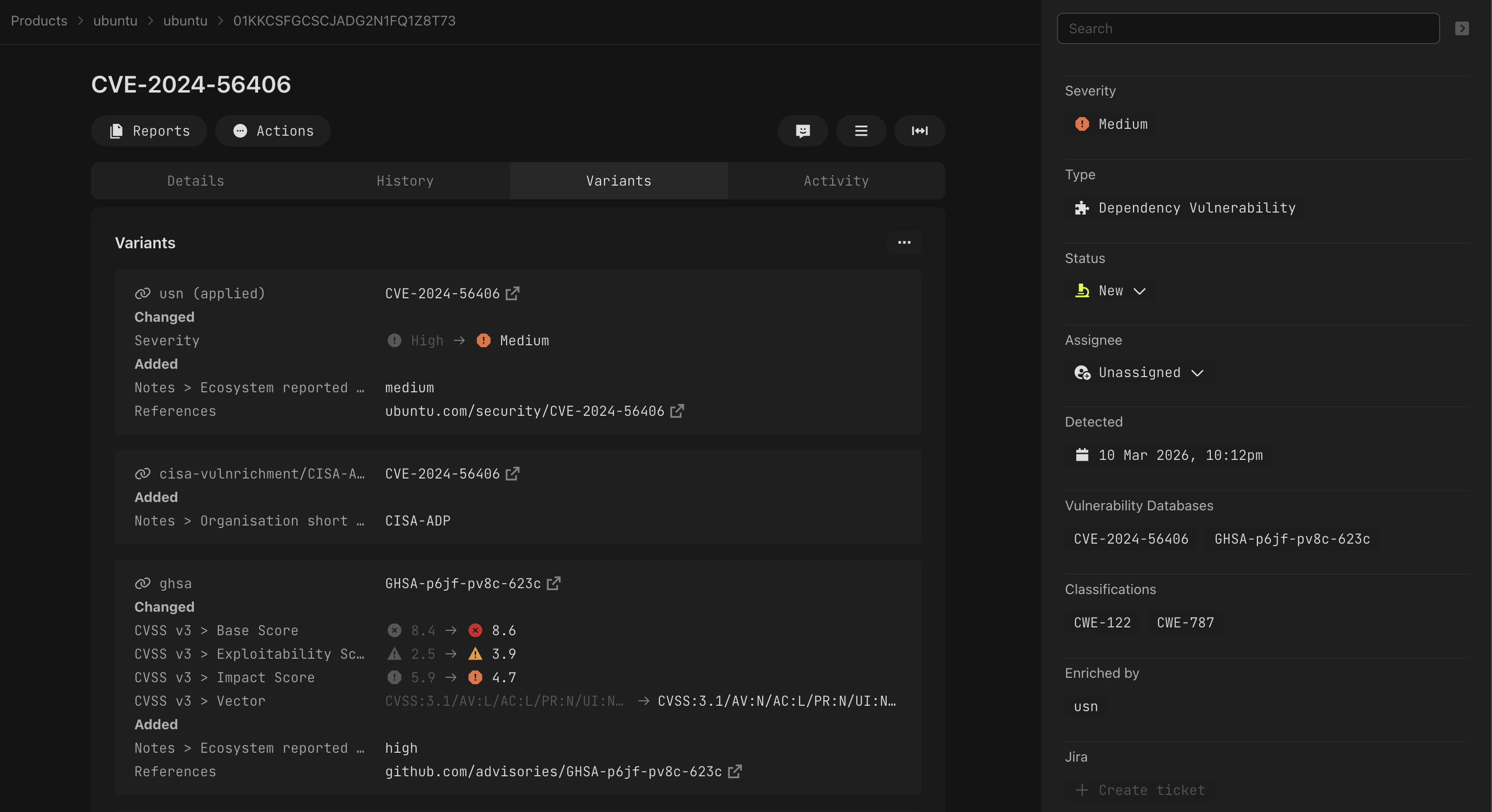
Note: Variants listed under {source}/{identifier} keys are shown on this tab for reference but are not eligible for override configuration.
Related
- Vulnerability Data Sources — Reference for all supported vulnerability data sources