Overview
The Findings Grid supports filtering by all CVSS v3 vector elements, allowing you to focus on findings with specific attack characteristics. This helps prioritize vulnerabilities based on how they can be exploited.
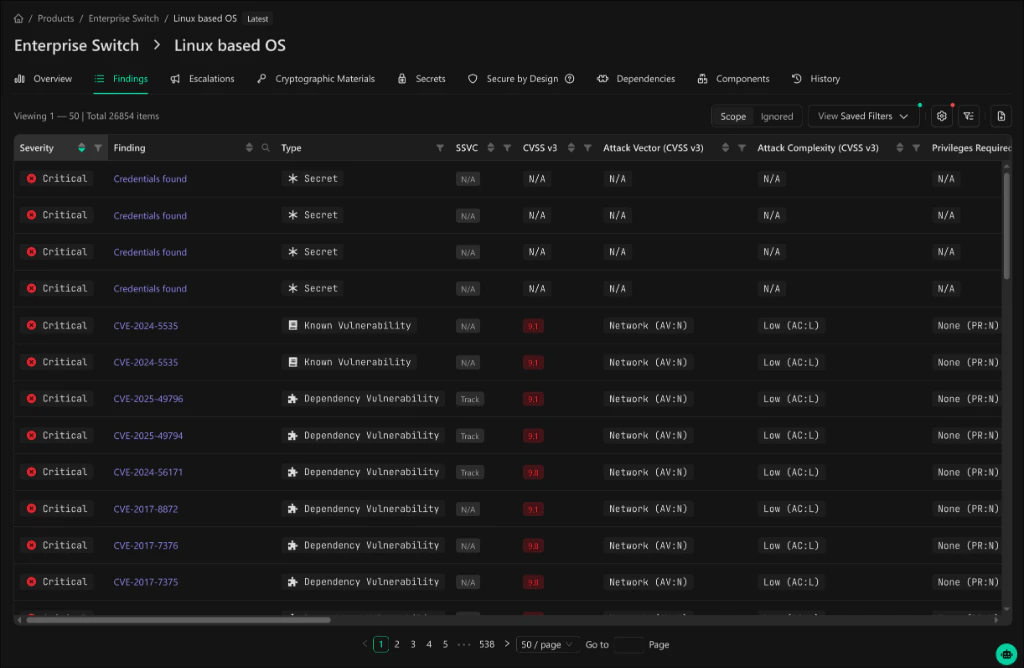
Available CVSS Vector Filters
Access all CVSS filters from the Sorting & Filters, Columns Settings panel by clicking the filter icon in the grid header.
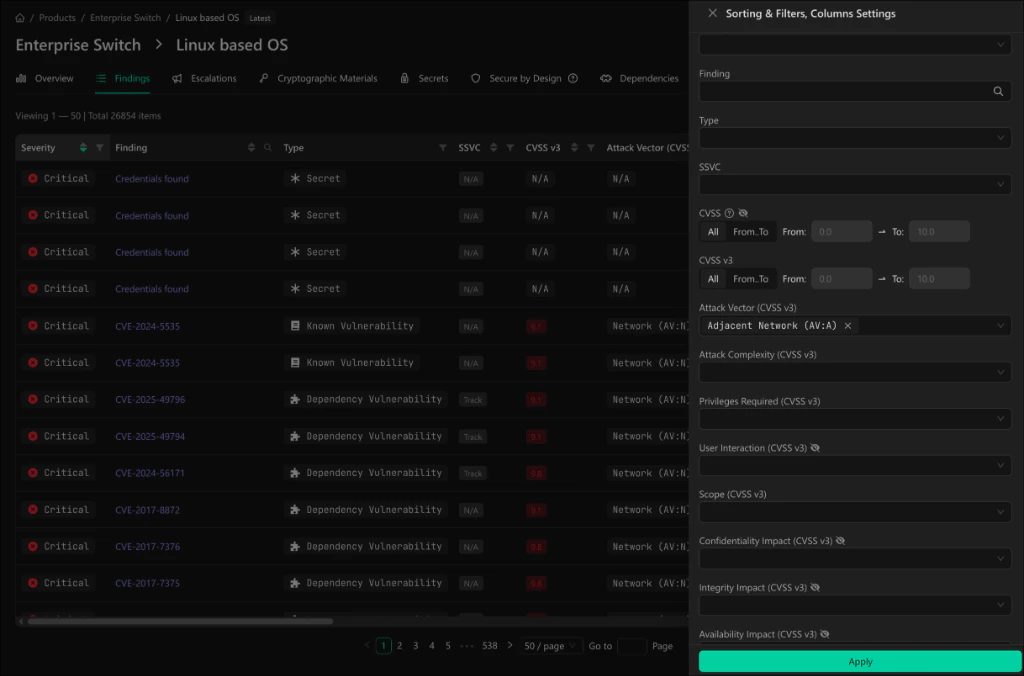
Vector Elements
| Filter | Values | Description |
|---|---|---|
| CVSS (legacy) | Range 0.0 - 10.0 | Overall CVSS score. Hidden by default, can be re-enabled in column settings. |
| CVSS v3 | Range 0.0 - 10.0 | CVSS v3 base score |
| Attack Vector (CVSS v3) | Network, Adjacent, Local, Physical | How the vulnerability can be exploited |
| Attack Complexity (CVSS v3) | Low, High | Conditions beyond attacker control that must exist |
| Privileges Required (CVSS v3) | None, Low, High | Level of privileges an attacker must possess |
| User Interaction (CVSS v3) | None, Required | Whether a user must participate |
| Scope (CVSS v3) | Unchanged, Changed | Whether impact extends beyond the vulnerable component |
| Confidentiality Impact (CVSS v3) | None, Low, High | Impact on information confidentiality |
| Integrity Impact (CVSS v3) | None, Low, High | Impact on information integrity |
| Availability Impact (CVSS v3) | None, Low, High | Impact on system availability |
Using CVSS Filters
- Click the filter/settings icon in the Findings grid header
- Expand the Sorting & Filters, Columns Settings panel
- Select values for one or more CVSS vector elements
- Click Apply to filter the results
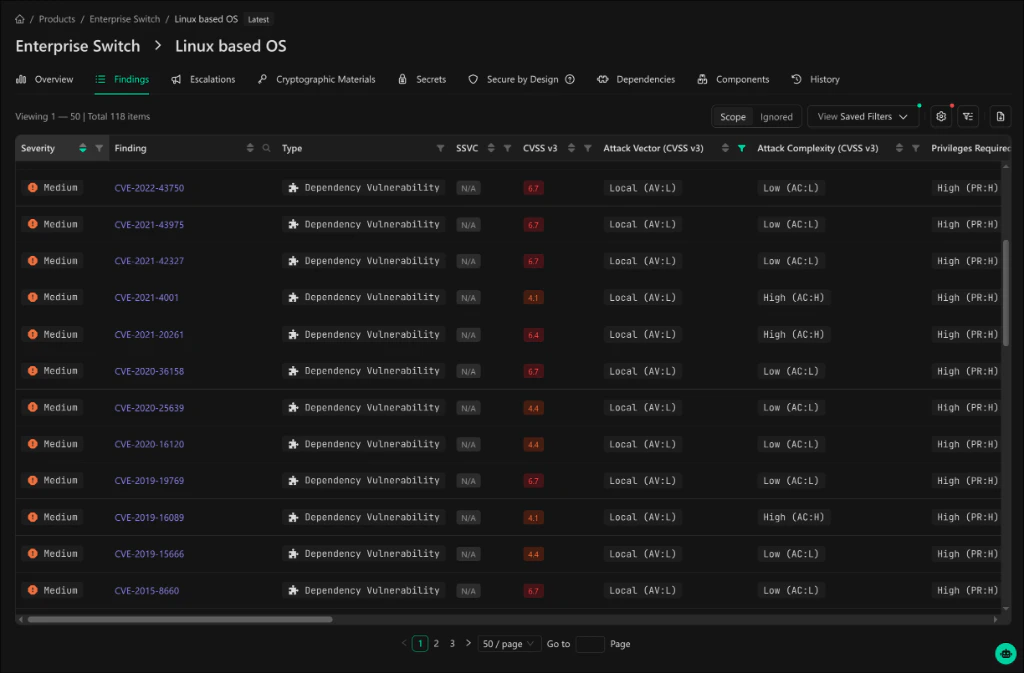
Example: High-Risk Network Vulnerabilities
To find critical network-exploitable vulnerabilities:- Set Attack Vector (CVSS v3) to
Network (AV:N) - Set Privileges Required (CVSS v3) to
None (PR:N) - Click Apply
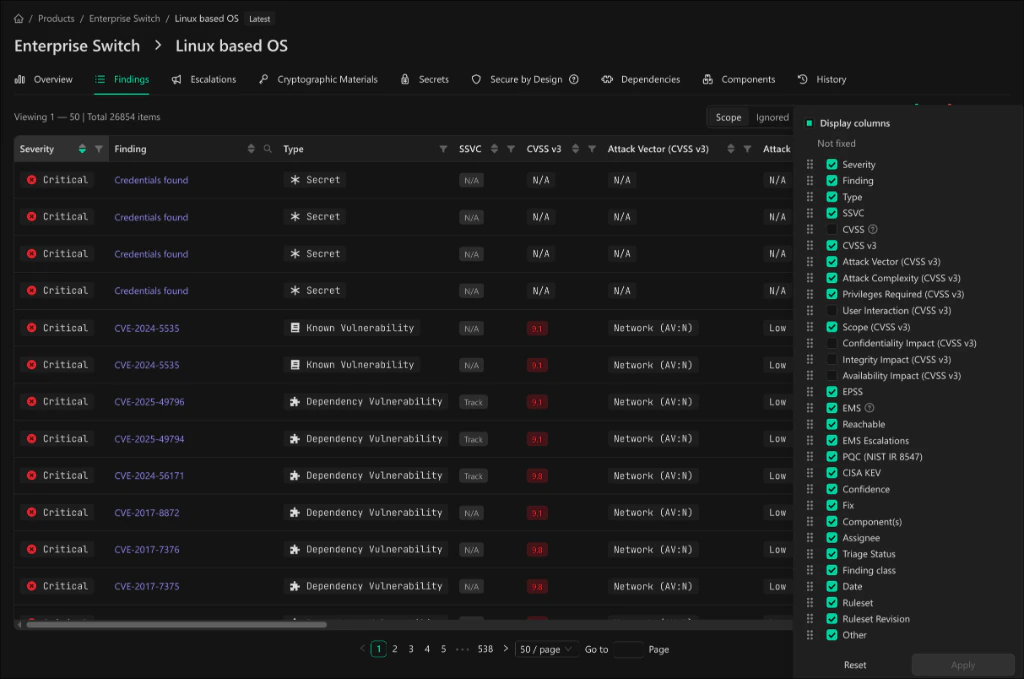
Column Display
Customize which CVSS columns appear in the grid via the Display columns panel.
| Column | Display Format | Example |
|---|---|---|
| Attack Vector | Value (AV:X) | Network (AV:N), Local (AV:L) |
| Attack Complexity | Value (AC:X) | Low (AC:L), High (AC:H) |
| Privileges Required | Value (PR:X) | None (PR:N), High (PR:H) |
| User Interaction | Value (UI:X) | None (UI:N), Required (UI:R) |
| Scope | Value (S:X) | Unchanged (S:U), Changed (S:C) |
| Confidentiality Impact | Value (C:X) | None (C:N), High (C:H) |
| Integrity Impact | Value (I:X) | None (I:N), High (I:H) |
| Availability Impact | Value (A:X) | None (A:N), High (A:H) |
Integration with Saved Views
CVSS vector filters integrate seamlessly with Saved Views:- Save filter configurations for quick access
- Include CVSS columns in your default view
- Share filtered views across the organization
Related
- Findings Scope - Control which finding types appear in the grid per product
- Saved Views - Save and share filter configurations
- Finding Types & Classes - Reference for all finding types and classes